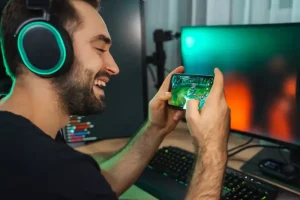

Android has become a flexible platform for mobile gaming. Players can access thousands of games, explore different genres, revisit classic titles through emulation, and use specialized tools to improve their experience. However, choosing the right applications can be challenging. Some apps focus on game discovery, while others organize libraries, support controllers, or monitor device performance. The quality and reliability of these tools also vary. An effective apps for games android guide should therefore cover more than popular downloads. It should explain how different applications work, what users should check before installing them, and how to build a setup that matches a device’s capabilities. Storage limitations, overheating, security risks, and compatibility problems can all affect gameplay. Understanding these factors helps players make better decisions. Instead of installing every gaming utility available, users can focus on a smaller collection of trustworthy applications that provide clear benefits.
Understanding the Different Types of Android Gaming Apps
Android gaming applications serve several purposes. The most familiar category includes games downloaded directly to a smartphone or tablet. These range from casual puzzles and strategy titles to competitive multiplayer experiences. Other applications support the gaming process rather than provide games themselves. Game discovery platforms help users find new titles. Library management tools organize installed games. Emulators allow compatible software from older gaming systems to run on Android. Performance utilities provide information about device activity, temperature, storage, and other technical conditions. Understanding these categories makes it easier to identify what is actually needed. A casual player may only need a reliable game store and a few preferred titles. Someone with a large collection may benefit from library organization. Retro gaming enthusiasts may prioritize emulator compatibility and controller configuration. Competitive players may need stable network performance and consistent device settings. The best approach is to select applications according to specific requirements rather than downloading several tools that perform similar functions.
Game Stores and Alternative Discovery Platforms
Official app stores are usually the safest starting point for discovering Android games. They provide search filters, user reviews, developer information, update histories, and compatibility details. These features help users compare titles before installation. Curated collections can also introduce players to games they might not find through general searches. Some platforms organize recommendations by genre, popularity, editorial selection, or player interest. Alternative distribution platforms offer additional choices, but they require more careful evaluation. Users should examine the developer’s reputation, download source, permission requests, and update frequency. A game with thousands of downloads is not automatically trustworthy. Reviews may also be misleading or outdated. It is useful to compare recent feedback with older reviews and look for repeated complaints about crashes, intrusive advertising, or unexpected purchases. Players should also check whether a game requires an internet connection, account registration, or a recurring subscription. These details can affect the overall experience long after installation.
Gaming Hubs and Library Management Tools
Gaming hubs bring multiple titles and related settings into one organized interface. Depending on the application and device, they may provide quick access to installed games, notification controls, playtime information, or selected performance settings. These features are particularly useful for people who regularly switch between different games. A well-organized library reduces unnecessary searching and makes it easier to manage storage. Some gaming hubs also allow users to create categories or identify applications that consume significant resources. However, not every device requires a separate management tool. Many Android manufacturers already include built-in gaming features. Installing another application with overlapping functions may create unnecessary background activity. Before choosing a gaming hub, users should compare its features with the settings already available on their device. A useful tool should simplify gaming rather than introduce additional notifications, advertisements, or resource demands.
Finding High-Quality Games Without Wasting Storage or Time
Discovering good Android games requires more than browsing trending downloads. Players should begin by identifying their preferred genres, available playing time, and device capabilities. Someone who enjoys short gaming sessions may prefer puzzle, racing, or casual strategy titles. Players interested in longer experiences may look for role-playing games, simulations, or competitive multiplayer options. Filters and recommendations can narrow the search, but they should not replace independent evaluation. Gameplay demonstrations provide useful information about controls, graphics, pacing, and overall design. Recent reviews can reveal whether a game performs well after its latest update. Users should also check the minimum operating system and hardware requirements. A visually impressive title may not run smoothly on an older device. Storage requirements deserve similar attention. Some games require additional downloads after installation, including high-resolution textures, voice packs, and new content. A title that initially appears small may eventually occupy several gigabytes. Players should consider the full storage commitment before downloading. In-app purchases and advertising models also deserve attention. Free installation does not always mean free access to the complete experience. Some games restrict progress through paid items, energy systems, or recurring subscriptions. Understanding these features helps users choose games that fit both their preferences and budgets.
Android Emulation and the Opportunity to Play Classic Games
Emulation allows Android devices to reproduce aspects of older gaming hardware through software. This gives users an opportunity to explore classic gaming experiences without keeping every original console or handheld system. Different emulators support different platforms, and their performance depends on the device, emulator design, and game being used. Some older systems can run on relatively modest hardware. More demanding platforms may require stronger processors, graphics capabilities, and additional memory. Emulation can also offer useful customization options. Players may adjust display proportions, configure controls, use save states, and connect compatible external controllers. These features can make older games more convenient to play on modern screens. However, emulation is not always a simple installation process. Users may need to configure directories, input settings, graphics options, and game files. Compatibility can vary between individual titles, even when an emulator officially supports a particular system. Players should check compatibility information before spending time configuring an application. They should also understand that emulator software and copyrighted game content are separate matters. The legality of obtaining, copying, or downloading game files depends on the applicable laws and circumstances. Users should obtain content through lawful sources and avoid unauthorized downloads.
Emulator Compatibility and Device Requirements
The performance of an emulator depends on several technical factors. Processor speed and architecture influence how efficiently a device can reproduce the original system’s operations. Graphics hardware affects rendering, visual effects, and display performance. Available memory helps the application manage game data and background processes. Storage space matters when users maintain large collections of game files. Operating system compatibility is another consideration. An emulator may support a particular Android version but still perform differently across devices. Before installing one, users should check the developer’s requirements and compatibility notes. It is also useful to test a smaller selection of games before building a large library. This approach helps identify problems with audio, graphics, controls, or stability early. If performance is inconsistent, reducing resolution or disabling demanding visual enhancements may help. Extra graphical effects can improve appearance, but they may also increase processing requirements.
Game Files, Controls, and Legal Considerations
Emulators generally require compatible game files to run titles. These files must be handled carefully because their ownership and distribution can involve copyright restrictions. Users should avoid websites offering unauthorized collections or suspicious download packages. Such sources may contain modified files, malware, or misleading advertisements. Control configuration is equally important. Touchscreen controls are convenient, but they may not suit games originally designed for physical buttons. External Bluetooth controllers can provide more accurate input for racing, action, and platform games. Players should check whether their chosen emulator supports their controller and whether individual buttons can be remapped. Save states can also improve convenience by allowing users to save progress at specific points. However, they should not always replace the game’s original save system. Keeping regular in-game saves can reduce the risk of losing progress if an emulator update or configuration change causes problems.
Performance Optimization Tools That Improve Mobile Gaming
Performance utilities can help users understand how their Android devices behave during demanding gaming sessions. Some applications display information about memory use, battery consumption, device temperature, and processing activity. These measurements can help identify whether a game is struggling because of limited resources or excessive background activity. However, users should be cautious about applications that promise dramatic performance improvements through one-touch optimization. A utility cannot automatically turn low-end hardware into a high-performance gaming device. Some so-called boosters simply close background processes, clear temporary data, or display information already available through Android settings. Aggressive task management can even interrupt useful services and create additional work when applications restart. A better strategy is to use monitoring tools for diagnosis rather than relying on constant automatic cleaning. Built-in gaming modes may also provide useful options, including notification restrictions and selected resource controls. Users should compare these features before installing additional software. The most effective performance improvements often come from adjusting game settings, maintaining sufficient free storage, and preventing unnecessary background activity.
Reducing Lag, Overheating, and Battery Drain During Gameplay
Lag, overheating, and rapid battery consumption are common problems for mobile gamers. They can have different causes, so users should avoid applying the same solution to every situation. Performance lag may result from limited processing power, insufficient memory, demanding graphics settings, or background applications. Network lag is different. It can occur because of weak Wi-Fi, unstable mobile data, high latency, or overloaded game servers. Players should first identify whether the problem affects local gameplay or online communication. Reducing graphics quality may improve frame stability on devices with limited hardware. Closing unnecessary applications can also free resources. However, regularly forcing every background application to close is not always beneficial. Users should focus on applications that actively consume significant resources. Overheating requires additional care. Modern smartphones may reduce processing speed when internal temperatures become too high. This process, known as thermal throttling, helps protect hardware but can reduce gaming performance. Playing in direct sunlight, using demanding settings for extended periods, and charging while gaming can increase heat. If a device becomes unusually hot, users should pause gameplay and allow it to cool. Battery efficiency also depends on display brightness, refresh rate, wireless connections, and game design. Lowering unnecessary visual effects and reducing brightness can help extend playing time. For online games, a stable connection is usually more valuable than simply choosing the fastest advertised network package. A reliable Wi-Fi signal and low latency can provide a better experience than an inconsistent connection with a higher theoretical speed.
Security and Privacy Risks in Third-Party Gaming Applications
Gaming applications can request access to personal information, device features, and online accounts. Some permissions are necessary for specific functions, but others may be excessive. For example, a simple offline puzzle game should have a clear reason for requesting access to sensitive information. Users should review permissions before and after installation. They should also keep Android security protections enabled and install applications from trustworthy sources. Unofficial game packages, modified applications, and suspicious emulator downloads can create additional risks. Some may contain malicious code or collect information without clear consent. Modified game clients can also violate a game’s terms of service and lead to account restrictions or permanent bans. Players should avoid tools that promise unlimited currency, unfair competitive advantages, or access to paid features without authorization. Account security deserves equal attention. Unique passwords, two-factor authentication where available, and caution around suspicious messages can reduce the risk of account theft. Regular updates are also important because they may address security weaknesses and compatibility problems. A trustworthy gaming setup should protect both the device and the accounts connected to it.
Choosing the Right Android Gaming Setup for Different Players
Different players need different combinations of applications. Casual gamers usually benefit from simple discovery tools, reliable game stores, and basic device settings. Their priority may be convenience, low storage use, and games that work well during short sessions. Competitive players have different requirements. They may focus on stable network connections, responsive controls, consistent frame rates, and notification management. Retro gaming enthusiasts may need carefully selected emulators, compatible game files, and external controllers. Users with older or entry-level devices should prioritize lightweight games and applications that do not consume unnecessary resources. The right setup should also account for storage and battery limitations. A practical way to build a gaming environment is to start with one trusted game platform and a small number of useful tools. Test each application before adding another. Remove tools that duplicate existing functions or provide little measurable value. Review storage use regularly and uninstall games that are no longer played. This keeps the device organized and reduces the risk of performance problems caused by unnecessary software.
Future Developments in Android Gaming Applications
Android gaming applications are likely to become more connected and personalized. Cloud gaming may allow users to access demanding titles without relying entirely on local device hardware. However, this approach depends on reliable internet access, acceptable latency, and subscription costs. AI-assisted recommendations may also improve game discovery by considering individual preferences and playing habits. Better controller integration could make Android more attractive for users who prefer console-style controls. Cross-device libraries may further simplify access to games across smartphones, tablets, and other supported devices. Performance management is another area of development. Future tools may provide more detailed information about battery health, thermal conditions, and application resource use. Yet these improvements will not eliminate hardware limitations or security concerns. Users should evaluate new features based on actual benefits rather than promotional claims. Compatibility, privacy, cost, and long-term support will remain important selection criteria.
Conclusion
A strong Android gaming experience depends on choosing applications that serve clear purposes. Game discovery platforms help users find suitable titles, library tools improve organization, and emulators provide access to compatible classic gaming experiences. Performance utilities can also help identify technical problems, although they cannot overcome every hardware limitation. Security and compatibility should remain central to every installation decision. Players should check permissions, use trustworthy sources, configure controls carefully, and manage storage before problems develop. The best apps for games Android guide is ultimately about making informed choices rather than collecting the largest number of applications. By matching tools to individual needs and maintaining sensible device settings, users can create a more reliable, secure, and enjoyable mobile gaming environment.